
Used Printers in Abu Dhabi: A Complete Inspection Checklist
Buying a printer for your office or home in the UAE shouldn’t always mean breaking the bank for a brand-new model. The market for a used printer for sale in Abu Dhabi is thriving, offering businesses a chance to secure high-end technology like the Canon imageRUNNER or HP LaserJet at a fraction of the retail cost.
However, the “used” market can be a minefield if you don’t know what to look for. Whether you are dealing with independent sellers or established printer dealers in Abu Dhabi, a systematic inspection is your best defense against a “lemon.”
This comprehensive guide will walk you through exactly what to check to ensure you get the best value when you buy used printers in the UAE.
- Understand the Difference: Used vs. Refurbished
Before you start your search, it is vital to know that not all second-hand machines are equal.
- Used Printers: These are typically sold “as-is” by the previous owner. They may not have been cleaned, and any internal wear is unknown.
- Refurbished Printers in Abu Dhabi: These machines have been professionally inspected, deep-cleaned, and had worn-out parts (like rollers or fusers) replaced by technicians.
For a business environment, looking for refurbished printers in Abu Dhabi is generally the safer investment as they often come with a limited warranty.
- The Internal “Odometer”: Checking the Page Count
Just like a car has a mileage counter, every modern printer has an internal page counter (often called the “Life Counter” or “Odometer”).
- How to check: Most machines allow you to print a “Configuration Page” or “Status Sheet” from the settings menu.
- What it tells you: A machine that has printed 500,000 pages is much closer to the end of its life than one with 50,000. Compare the current count to the manufacturer’s “Recommended Monthly Duty Cycle” to see how hard the machine was pushed.
- Physical Inspection: The “Torch” Test
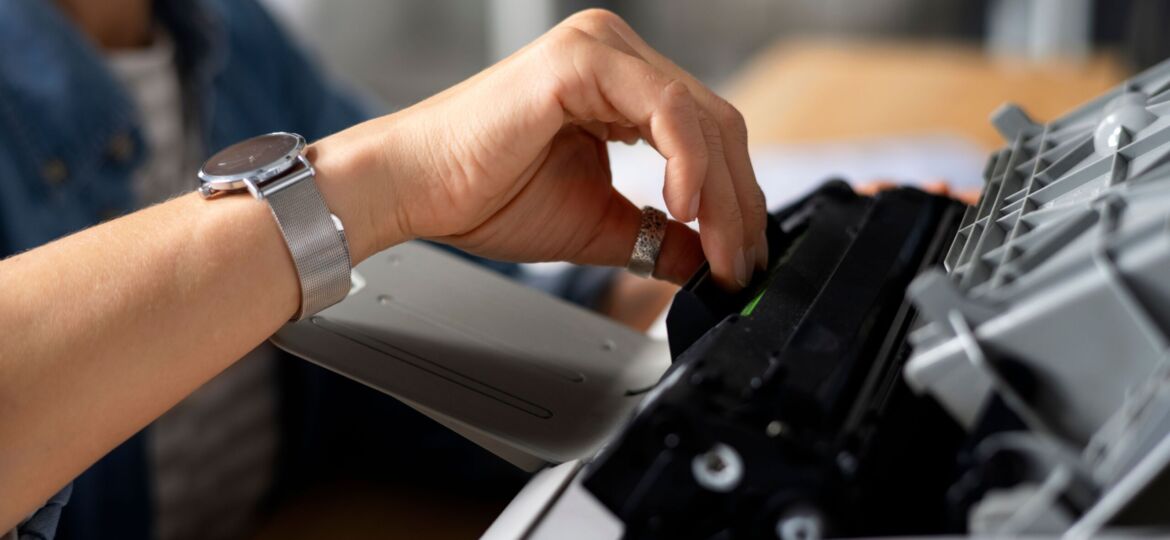
Open the main doors and paper trays. Use your phone’s flashlight to look for:
- Toner Leaks: A light dusting is normal, but piles of loose toner indicate a failing cartridge or a leaking internal seal.
- Dust and Debris: Excessive dust buildup suggests the machine was kept in a poor environment (like a construction site office), which can lead to overheating.
- Gear Condition: Look at the plastic gears. If you see white plastic “shavings” or powder, it means the gears are grinding and will likely fail soon.
- Run a Print Quality Test
Never buy a used printer for sale in Abu Dhabi without seeing it print a full-color (or grayscale) test page. Look for:
- Vertical Lines: Constant lines running down the page usually mean the “Drum Unit” or “Fuser” is scratched. These are expensive parts to replace.
- Smudging: If the toner rubs off when you touch it, the “Fuser” isn’t reaching the correct temperature.
- Faded Patches: This could be low toner, but it could also indicate a failing laser unit or LED printhead.
- Connectivity and Software Compatibility
In 2026, a printer is only as good as its software.
- Test the Ports: Plug in a USB drive to see if it reads, and check the Ethernet/LAN port.
- Driver Support: Search the manufacturer’s website for the specific model. Ensure there are drivers available for Windows 11/12 or the latest macOS. If a printer is “End of Life” (EOL), you might struggle to connect it to your new laptops.
- Where to Buy: Choosing Reliable Printer Dealers in Abu Dhabi
While marketplaces like Dubizzle are great for deals, they offer zero protection. If you want reliability, visit established printer dealers in Abu Dhabi who specialize in second-hand equipment.
Benefits of buying from a dealer:
- Warranty: Most reputable shops offer a 3-month to 6-month warranty.
- AMC (Annual Maintenance Contract): Dealers can provide ongoing support, ensuring your machine stays running.
- Genuine Parts: They ensure that the toner and spare parts used during refurbishment are genuine or high-quality compatibles.
Checklist: 5-Minute Inspection Summary
If you are currently looking at used printers in Abu Dhabi, take this checklist with you:
- Print a Configuration Page: Check the total page count.
- Inspect the Rollers: Are they smooth/shiny (bad) or have a rubbery grip (good)?
- Listen for Noises: Does it squeak or grind while printing?
- Check Toner Levels: How much life is left in the current cartridges?
- Verify the Warranty: Get any guarantee in writing on the invoice.
Conclusion
Investing in used printers in Abu Dhabi is a smart way to save 40% to 60% compared to buying new, as long as you do proper research. By choosing refurbished printers from trusted dealers like Green Wave Information Technology, you can enjoy reliable performance at a budget-friendly price. For businesses in Abu Dhabi, or anywhere in the UAE, the key to a successful purchase lies in careful inspection and verification—focusing not just on the price, but also on page count, print quality, and overall condition.
Related Reads:
- Rent, Buy, or Refurbish? The Ultimate Guide to Printers in UAE
- The Future of Refurbished Printers in the UAE Market
- Refurbished Canon Printers: Are They Worth It for Your Office in Abu Dhabi?
- Top 5 Refurbished Printers for Office Use in 2025
- The Rise of Refurbished Printers in Abu Dhabi: Is It Better to Repair or Buy Second-Hand Printers?
- Top Benefits of Choosing a Refurbished Printer for Your Office in Abu Dhabi
- Tips for Extending the Lifespan of Your Refurbished Printer
- Why Choosing Used Printers in Abu Dhabi Makes Sense