
Running a business involves managing a lot of hidden expenses. You’re constantly tracking software subscriptions, keeping an eye on office rent, and trying to keep overhead low. But there is one sneaky budget-killer that almost every business owner overlooks until it’s too late: the cost of printing.
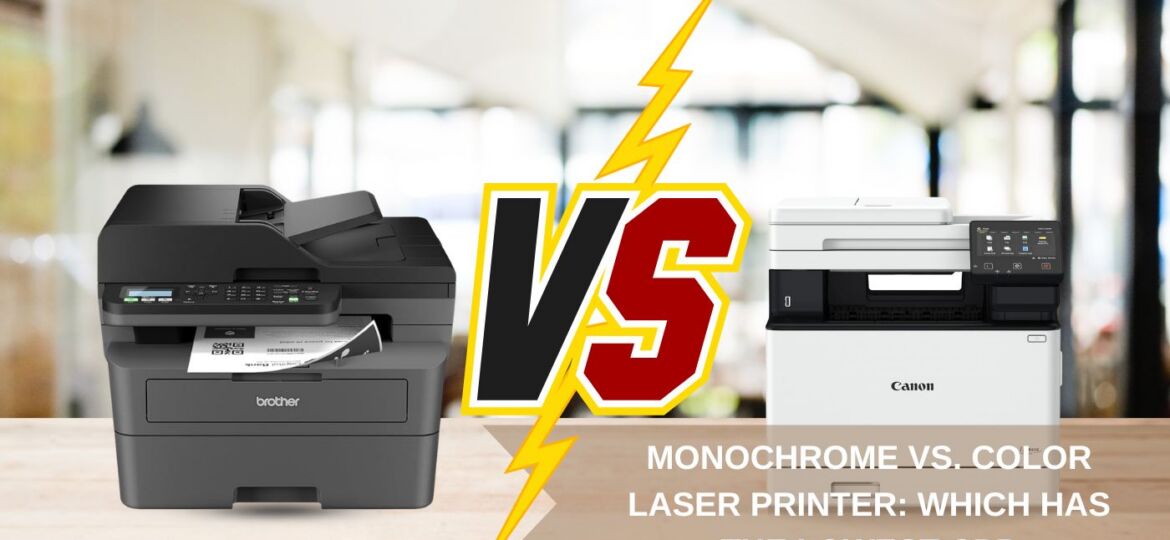
When it’s time to upgrade your office setup, you face a classic crossroad. Do you buy a sleek, high-volume monochrome laser printer that only prints in black and white? Or do you shell out a bit more for a vibrant color laser printer that can handle everything from standard spreadsheets to high-impact client presentations?
The decision usually comes down to a single financial metric: cost per page (CPP).
If you are trying to cut down your operating costs while maintaining peak office efficiency, you need to know exactly how these two machines compare in the real world. Let’s look past the marketing fluff and dive into the math, the mechanics, and the practical pros and cons of monochrome versus color laser printers so you can choose the best fit for your workspace.
What Exactly is “Cost Per Page” and Why Does It Matter?
Before we look at the hardware, let’s define what cost per page actually means. A lot of people make the mistake of assuming that if a printer is cheap to buy at the store, it will be cheap to run forever. In the printing industry, the opposite is almost always true. This is known as the “razor-and-blades” business model—manufacturers sell the hardware at a low margin because they know you’ll be buying their toner cartridges for the next five years.
To figure out your true cost per page, you take the price of a replacement toner cartridge and divide it by the cartridge’s “page yield” (the estimated number of pages it can print before running empty).
The Math: If a black toner cartridge costs 200 AED and is rated to print 4,000 pages, your cost per page for black-and-white text is 0.05 AED (or 5 fils per page).
While 5 fils per page sounds like pennies, multiply that by an office printing 5,000 pages a month, factor in paper and maintenance, and suddenly you are looking at a serious annual line item.
Monochrome Laser Printers: The Undisputed Cost Champions
If your primary goal is to spend the absolute minimum amount of money on consumables, a monochrome laser printer is the king of the castle.
The Simplicity of One Cartridge
The biggest financial advantage of a monochrome laser printer is incredibly simple: it only takes one black toner cartridge. When the machine runs low, you buy one replacement box, slide it into the slot, and keep moving.
Because monochrome machines only process black toner powder, their internal mechanisms are surprisingly straightforward. There are fewer moving gears, fewer alignment checks, and less complex electronics inside. This mechanical simplicity translates directly into long-term reliability. Monochrome printers are built to be heavy-duty workhorses; they jam less frequently and can last for years in high-volume environments with minimal maintenance.
The True Cost Per Page
For a standard office-grade monochrome laser printer, the average cost per page hovers between 0.04 AED and 0.08 AED (1 to 2 cents). If you purchase high-yield toner cartridges or look for certified compatible toner alternatives, you can drop that number even lower.
- Who it’s for: Law firms, logistics centers, accounting practices, schools, and any business where 95% of the daily output consists of text-heavy files like legal briefs, invoices, shipping labels, and internal reports.
Color Laser Printers: Beautiful Output with a Higher Price Tag
Color laser printers are incredible machines. They give your business the power to produce stunning, client-facing materials directly from your office desk without having to pay a commercial print shop. But that creative freedom comes with a mathematical catch.
The “Four Cartridge” Dilemma
While a monochrome printer only needs one toner container, a color laser printer requires four separate cartridges: Cyan (blue), Magenta (pink), Yellow, and Black (commonly known as the CMYK system).
When you purchase a color laser printer, you aren’t just managing one consumable supply line—you’re managing four. Even if you only print a tiny colored logo at the top of your letterhead, the printer still has to spin, align, and consume small amounts of all four powders to calibrate the image correctly.
The Complex Mechanics of Color Alignment
Mechanically, a color laser printer is far more complex than its black-and-white sibling. To create a crisp color image, the printer has to overlay all four toner colors down to the microscopic fraction of a millimeter. It does this using a component called a transfer belt.
Because there are more moving parts, color laser printers naturally experience more wear and tear. The transfer belts, multiple imaging drums, and complex fuser units mean that when something goes wrong or needs a routine replacement, the service bill will inevitably be higher.
The True Cost Per Page
The cost per page on a color laser machine changes dramatically based on what you are printing:
- Black-and-White Text on a Color Printer: Usually costs slightly more than a pure monochrome printer—around 0.07 AED to 0.11 AED per page—due to system calibration and wear on all four drums.
- Standard Color Documents (Charts/Graphs): Typically averages around 0.25 AED to 0.45 AED per page.
- High-Coverage Color (Photos/Brochures): Can easily skyrocket to 0.60 AED to 1.50 AED per page if the sheet is completely covered in rich color graphics.
Head-to-Head Comparison
Let’s look at a clear, realistic breakdown of how these two configurations compare for an office environment:
Cost & Operational Metrics | Monochrome Laser Printer | Color Laser Printer |
Average Cost Per Page (Mono) | Lowest (0.04 – 0.08 AED) | Low-Medium (0.07 – 0.11 AED) |
Average Cost Per Page (Color) | N/A (Cannot print color) | Higher (0.25 – 0.60+ AED) |
Number of Cartridges to Buy | 1 (Black) | 4 (Cyan, Magenta, Yellow, Black) |
Mechanical Maintenance | Low (Fewer moving parts) | Higher (Requires transfer belt alignment) |
Initial Hardware Cost | Highly Affordable | Medium to High |
Best Asset | Maximum speed & rock-bottom overhead | Professional, client-ready visual impact |
The Sneaky Danger of the “Color Lockout”
There is one specific operational headache unique to color printers that every office manager should know about. It’s called the color lockout.
Imagine it’s Sunday morning, and you have to print a critical, 50-page black-and-white contract for a waiting client. Your printer’s black toner is 100% full. However, your yellow toner cartridge happens to be completely empty from a job printed the previous week.
On many standard color laser printers, the machine will completely lock down and refuse to print even a single line of black text until you replace that yellow cartridge. The printer does this to protect its internal imaging components from overheating or running dry, but in a fast-paced business environment, it can cause an instant workplace crisis. A monochrome printer completely eliminates this risk.
How to Choose the Lowest Cost Option for Your Workspace
So, how do you decide which machine makes the most sense for your bottom line? It all comes down to analyzing your actual printing habits.
1. The Pure Monochrome Route
If your office prints thousands of pages of text every month and color is an absolute afterthought, buy a dedicated monochrome laser printer. You will save money on the initial purchase, spend a fraction of the cost on toner replacements, and deal with far fewer technical errors over the lifespan of the machine.
2. The Hybrid Strategy (The Smart Business Choice)
If your team occasionally needs color, but prints text most of the time, don’t buy a large color laser printer as your primary copier. That is a fast way to blow through your budget.
Instead, many smart corporate offices implement a hybrid strategy:
- They deploy a high-speed, heavy-duty monochrome laser printer or a certified refurbished black-and-white A3 copier in the main hallway to handle 90% of the daily workflow (invoices, internal notes, draft layouts).
- They place a smaller, secondary color device under lock and key, reserved strictly for printing final client proposals, color-coded graphs, or marketing presentations.
This simple separation ensures your team isn’t accidentally spending premium color toner prices on documents that could have easily been printed in black and white.
Maximizing Your Savings with Certified Refurbished Hardware
Whether you decide that a monochrome workhorse or a high-performance color printer is right for your business, you don’t have to pay premium, brand-new retail prices to get enterprise-grade quality.
Opting for a certified refurbished printer for sale is one of the smartest ways to keep your initial setup costs incredibly low. A professionally refurbished commercial machine goes through a complete inspection where high-wear internal parts—like fuser units, transfer rollers, and paper pick-up gears—are replaced with brand-new components.
By going the refurbished route, your business gets access to heavy-duty, commercial-grade A3 printing speeds and ultra-low cost-per-page metrics at a fraction of the cost of buying new.
The Bottom Line
If your business lives and breathes text documents, spreadsheets, and logistical paperwork, sticking to a monochrome laser printer will give you the lowest cost per page and save you a massive amount of money over time. But if your brand relies on visual impact to close deals, a color laser printer is a necessary investment—just make sure to manage your settings so your team uses color only when it truly matters!
Ready to slash your office printing overhead? Explore our massive inventory of high-performance office printers for sale, including high-yield a3 printer for sale options and fully certified refurbished printer for sale models at GreensWave. Let’s find the perfect, cost-efficient solution to keep your business moving!