
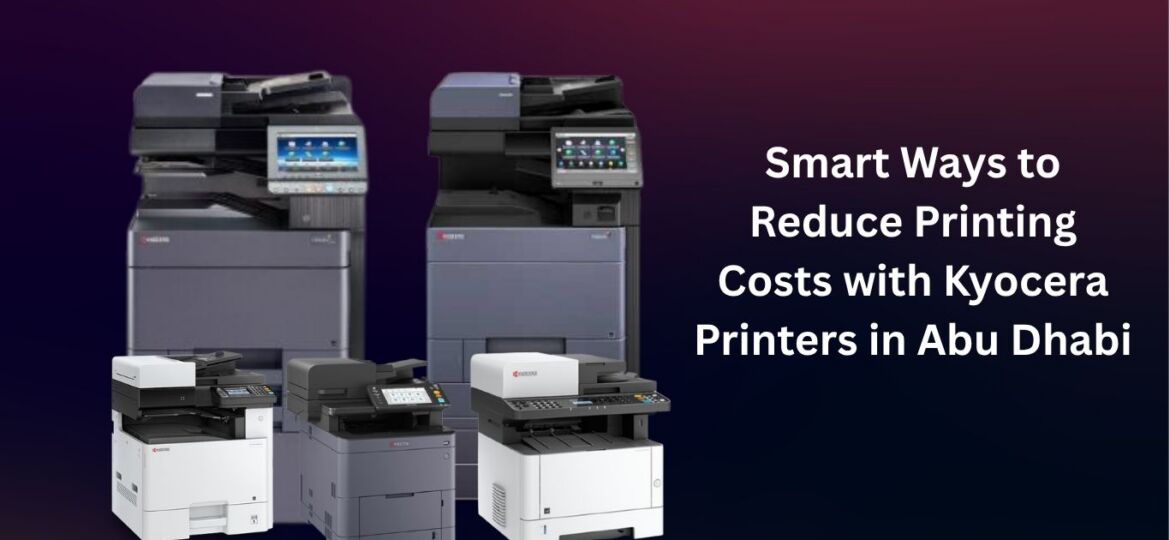
10 Smart Ways to Reduce Printing Costs with Kyocera Printers in Abu Dhabi
In many UAE businesses, printing costs often go unnoticed until they start affecting the bottom line. If you’re managing a legal firm in Al Reem Island or running a busy logistics operation in Mussafah, everyday expenses like toner, paper, and maintenance can gradually add up and impact your overall profits. Kyocera has built a global reputation for its ECOSYS technology, which is specifically engineered to tackle these high operational costs. However, simply having a Kyocera multifunction printer (MFP) in your office isn’t enough. To truly see a drop in your overhead, you need to leverage the machine’s intelligence.
Here are 10 expert strategies to optimize your Kyocera printer for maximum cost-efficiency in the UAE market.
Optimize Print Settings for Every Job
Most offices leave their printers on “Factory Default,” which usually means high-resolution color printing. This is a massive waste of resources for internal drafts.
- Draft Mode: Use this for internal memos. It uses significantly less toner while keeping text perfectly legible.
- Grayscale by Default: Set your printer driver to black and white. If an employee needs color for a client presentation, they must manually select it. This prevents “accidental” color printing of emails or web pages.
- EcoPrint Feature: Kyocera’s unique EcoPrint setting reduces toner saturation, extending the life of your cartridge by up to 30%.
Default to Duplex Printing
Paper is one of the most underestimated costs in a UAE office. By making Double-Sided (Duplex) Printing the default setting on your Kyocera device, you instantly cut your paper budget by 50%.
- Environmental Impact: This move aligns with the UAE’s sustainability goals, such as the “Go Green” initiatives in Abu Dhabi government sectors.
- Storage Savings: Halving your paper usage also means you need less physical storage space for archives and files.
Leverage Long-Life ECOSYS Technology
Kyocera’s ECOSYS stands for “Ecology, Economy, and System.” Unlike competitors where you must replace the drum every time the toner runs out, Kyocera uses an extremely durable ceramic drum that is separate from the toner container.
- Reduced Waste: You only replace the toner powder, not the entire imaging unit.
- Lower TCO: Because the drum can last for hundreds of thousands of pages, your long-term maintenance costs stay significantly lower than traditional cartridge-based systems.
Implement User Authentication and Quotas
Unmonitored printing is often wasteful printing. Kyocera printers allow administrators to set up User Codes or ID Card Authentication.
- Departmental Accounting: Track exactly how much the marketing department prints versus sales.
- Print Quotas: You can set a monthly “allowance” for color printing per employee. When people know their usage is being monitored, “frivolous” printing typically drops by 20% overnight.
Right-Size Your Fleet
A common mistake in Abu Dhabi offices is using a small home-office printer for heavy-duty corporate workloads. This leads to frequent breakdowns and high “cost-per-page” (CPP).
- Analyze Volume: Ensure your Kyocera model matches your monthly print volume. Using a high-capacity machine for high volumes is cheaper than pushing a smaller machine to its limits, which results in expensive part failures.
Utilize High-Yield Genuine Toner
While the upfront price of a high-yield toner cartridge is higher, the Cost Per Page is significantly lower.
- Higher ROI: A standard cartridge might print 3,000 pages, but a high-yield version can often print 12,000 to 25,000 pages.
- The Risk of “Cheap” Ink: In the heat and humidity of the UAE, non-genuine toners often leak or clog the internal components. Stick to genuine Kyocera toner to avoid a repair bill that wipes out your “savings.”
Proactive Maintenance and Firmware Updates
Prevention is always cheaper than a cure. Regular maintenance prevents small issues from becoming “office-stopping” disasters.
- Firmware Updates: Kyocera frequently releases software updates that improve toner efficiency and hardware performance.
- Component Cleaning: Dust from the Abu Dhabi environment can settle on sensors. A quick professional cleaning every few months ensures the machine runs at peak efficiency, preventing paper jams that waste both time and materials.
Digital Transformation: Scan-to-Email & Cloud
The cheapest page is the one you never print. Kyocera MFPs are powerful scanning hubs.
- Direct to Cloud: Use the Kyocera “Scan-to-Cloud” or “Scan-to-Email” features to distribute documents digitally.
- Optical Character Recognition (OCR): Convert paper documents into searchable PDFs immediately. This reduces the need for physical copies and speeds up your office workflow.
Enable “Private Print” for Security and Savings
Have you ever seen a pile of uncollected papers sitting on the printer tray at the end of the day? This is pure wasted money.
- The Pull-Print Method: With Private Print, the document only prints when the user physically walks to the printer and enters a PIN.
- No More Lost Jobs: This eliminates “forgotten” print jobs and ensures that sensitive documents don’t sit out in the open, enhancing your office’s data security.
Partner with a Managed Print Services (MPS) Provider
For many businesses in Abu Dhabi, managing a printer is a distraction from their core work. Partnering with a local Kyocera Authorized Dealer for Managed Print Services can streamline everything.
- Predictable Costs: You pay a fixed cost per page that includes toner, parts, and labor.
- Automatic Refills: The system monitors your toner levels and sends a replacement before you run out, ensuring zero downtime.
Conclusion
Reducing printing costs isn’t just about buying the cheapest paper; it’s about a strategic approach to technology. By utilizing the advanced features built into your Kyocera printer—from ECOSYS durability to Private Print security—your Abu Dhabi business can achieve a leaner, greener, and more profitable operation.